Your own images
Upload JPEG or PNG. The image is scaled and shown whole. If the format does not fit the screen it gets edges in the playlist's background colour.
The lobby screen, an add-on to Roombook
The lobby screen shows your images and welcome texts alternating with today's room bookings. Everything is controlled from Roombook, so there is no extra service to log in to and no USB stick to swap.
The add-on costs 50 SEK a month excluding VAT, for as many screens as you like. There is no lock-in, and all you need at the screen is a web browser.
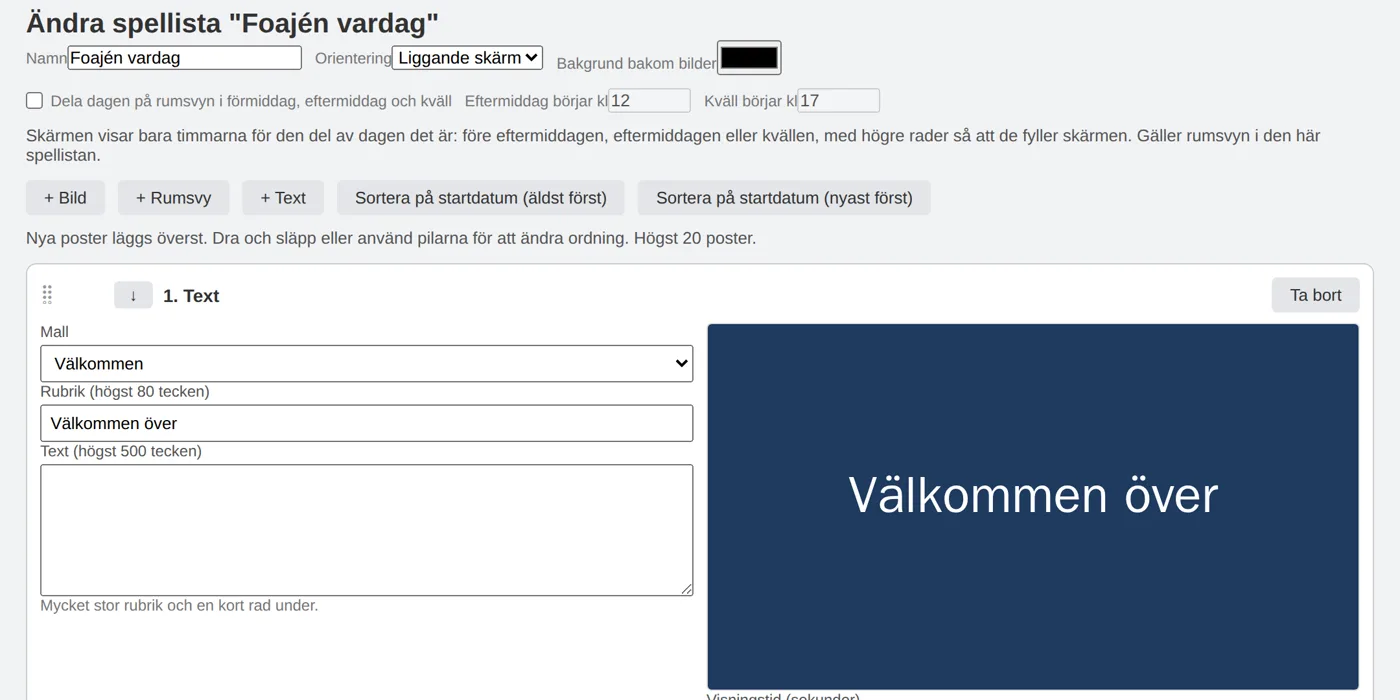
The screen in the lobby shows a playlist: items that are shown in turn and then start over. Each screen is a view link in Roombook, so you change the content without touching the computer at the screen. A change shows up on the screen within five minutes, because the screen fetches its own playlist.
Upload JPEG or PNG. The image is scaled and shown whole. If the format does not fit the screen it gets edges in the playlist's background colour.
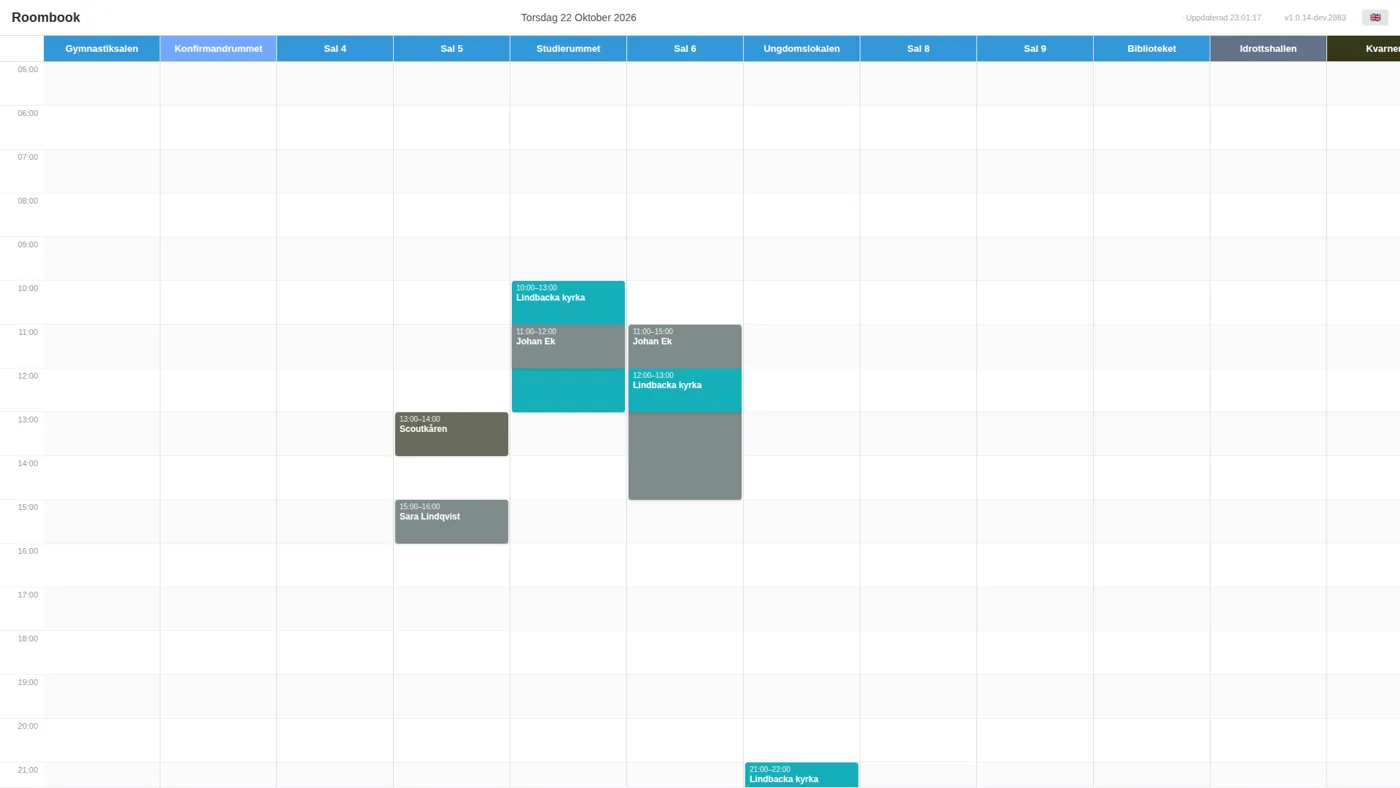
An item can be the room view with today's bookings for the rooms you choose, and a red line shows where the clock is. It fetches the same data as the booking calendar and is always up to date.
There are templates for welcome, message, information, opening hours, menu and safety. You write the text and the template takes care of typeface and layout.
Each item has a display time and can get a time window. The lunch menu can be shown only before lunch and a sign only during the event.
The banner row at the top shows your logo and a text of your own, in any colour and size. The date and when the screen was last updated are shown in the same row. You choose per screen whether the banner stays on top of images and text items.
The room view can split the day per playlist. You enter two times, for example 12 and 17, and the screen shows only the hours for the part of the day it is right now. The bookings then fill the whole screen.
The playlist can be portrait. The room view then shows up to three rooms side by side, and the day fills the whole height.
The images are stored in the screen's browser. If the network disappears for a while the playlist keeps running, and the screen never goes black.
The room view shows today's bookings with one room per column and fetches the same data as the booking calendar. Display mode with today's bookings is already included in the base plan. With the add-on, the room view becomes an item in the playlist, between your images and texts.
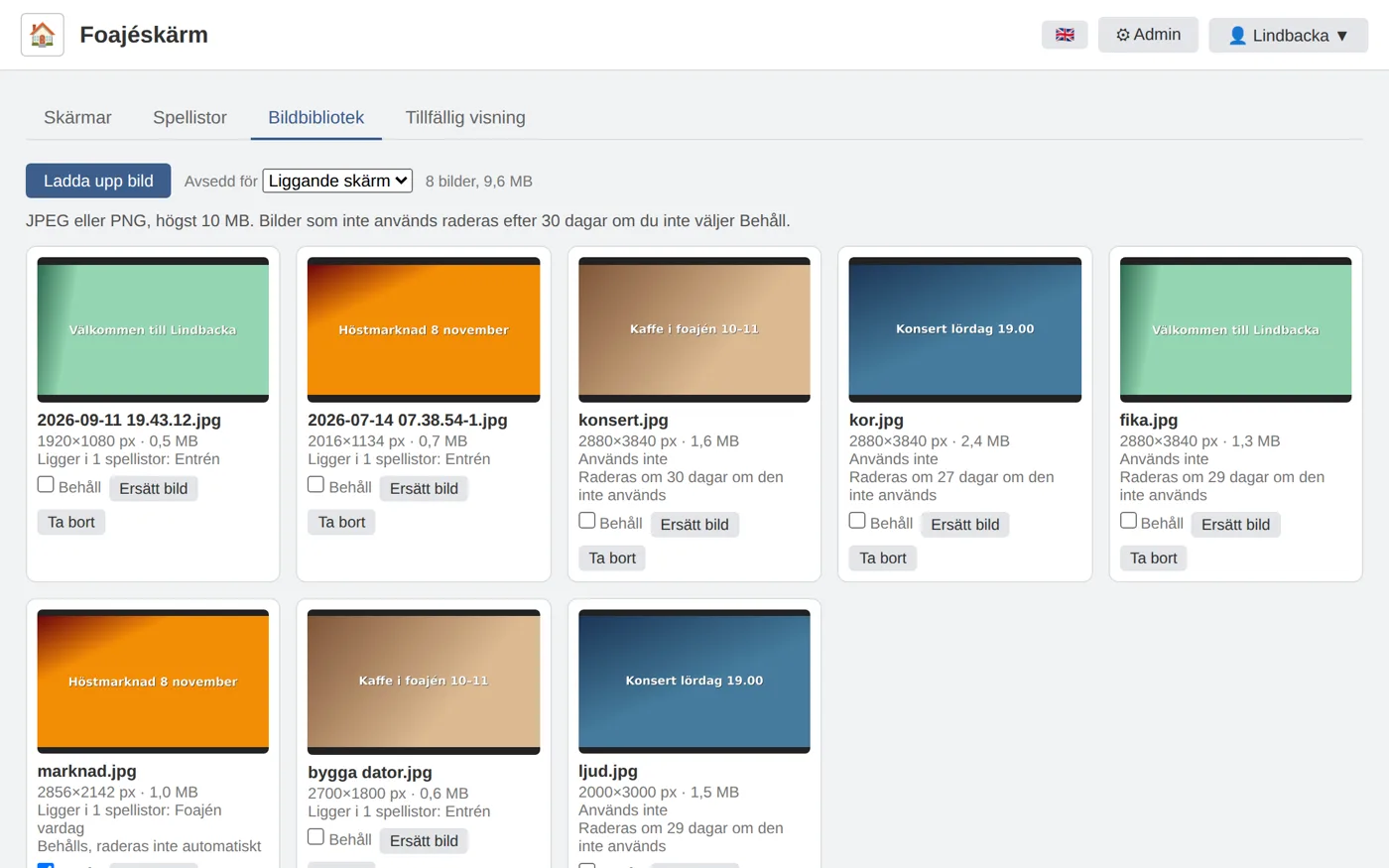
All images live in one shared library. There you can see which playlists use each image, and with Replace image you swap an image everywhere at once.
Images that no playlist uses are deleted after 30 days, unless you have marked them Keep.
A temporary display takes over chosen screens for a time you choose. During that time the screens show only the display, and afterwards they go back to their regular playlist.
It can be the customer's logo, a welcome sign or a whole playlist for the conference.
The lobby, the corridor or all screens at once.
Enter from and to, or press Show now for 2 hours. The screen fetches the display in advance and switches exactly at the start time.
Two displays cannot overlap on the same screen. The page tells you which display clashes.
Changed your mind? Press End now and the screens go back within a few minutes.
Everything below is activated together on your account. Display mode with today's bookings is already in the base plan.
The add-on has a fixed price per month and account. You pay nothing per screen, and there is no lock-in. Other digital signage services often charge per screen and month.
With the lobby screen it comes to 50 SEK/month excl. VAT.
With the lobby screen it comes to 300 SEK/month excl. VAT.
There is no lock-in, and you can cancel whenever you like. The price is the same however many screens you have.
If you don't find the answer here, send an email.
50 SEK a month excluding VAT per account, on top of the plan, and any number of screens is included. There is no charge per screen and no lock-in.
A screen and a computer or media player with a modern web browser in full-screen mode. The screen opens a view link from Roombook, so there is no app to install. A portrait screen is rotated in the operating system.
Yes, in two ways. An item in the playlist can have a time window. A temporary display can also take over chosen screens between a start and an end time, for example with a conference sign for the whole day. The screen has fetched the display in advance and switches exactly at the start time.
Yes. The banner row at the top shows your logo and a text you write yourself, in any colour and size. You choose per screen whether the row stays on top of images and text items. The date and when the screen was last updated are shown in the same row.
Yes. Turn on Split the day in the playlist and enter two times, for example 12 and 17. The screen then shows only the hours for the morning, afternoon or evening depending on the clock, and the bookings fill the whole screen.
The screen fetches its playlist every five minutes, so a change shows up within five minutes at most. A temporary display with a start time switches exactly at the start time.
The images are stored in the screen's browser, so the playlist continues if the network disappears for a while. A thin bar along the bottom turns orange if the screen has not reached the server.
JPEG and PNG up to 10 MB. The account has room for 50 images and 200 MB. Video is not included.
Administrators and the users who have been given the permission Manage displays, for example reception. They do not need to be administrators. The changes show up in the audit log.
I activate the add-on on your account. After that all you need is a screen and a browser. It costs 50 SEK/month excl. VAT for all screens, with no lock-in.